Kagi Adds Paywall Filter to Search Results
I've been using Kagi for six months now, and I'm still surprised by how much I rely on it. Not because it's flashy — it's a search engine, for god's sake — but because it quietly does the things I actually want a search engine to do. Like not selling my data, or returning results that aren't optimized for ads.
Yesterday I noticed something new in my settings: an option to automatically remove paywalled links from search results. It's tucked away under "Search Preferences," easy to miss. But it's the kind of detail that makes me think the people building this stuff actually use it themselves.
Kagi's paywall filter isn't a revolutionary feature. DuckDuckGo has had domain blocking for years. But there's something refreshing about the specificity of it — not just blocking trackers or ads, but letting you opt out of the entire walled-garden economy that search engines have become complicit in.
I'm curious whether this is the beginning of a trend or just one more checkbox in the endless game of privacy theater. Either way, it's worth five minutes of your time to understand what it does and why it might matter.
Technical Overview
The Assistant now handles larger files better, with the upload limit bumped from the previous 4 MB ceiling to 30 MB—big enough for most research documents and medium-resolution images without splitting them into pieces. The tradeoff is that searching for files over 100 MB still triggers the “Document Size Exceeded” error; the hard cap is there because scanning multi-hundred-megabyte files for the ask command quickly consumes RAM and CPU. In practice that means your daily workflow won’t run into the old 4 MB limit, but you’ll need to compress or split anything larger than 100 MB before uploading.
Custom Bangs gained a new Regex field so you can constrain matches to exact patterns instead of relying on the looser default that captures everything between $1$2. The field takes a standard PCRE, so if you only want pages that begin with “site:arxiv.org abstract,” you can drop in ^site:arxiv\.org abstract and ignore the noise from other domains. The change is subtle but powerful in research contexts where domain specificity matters more than recall.
Two user reports summed up the practical impact. One researcher wrote, “Good for research, it offers outstanding control over your results, including letting you favor specified domains over others.” Another bluntly stated, “It’s been more than a year since I gave up on Google Search (I switched to Kagi.com and never looked back). I don’t miss it.” Both comments suggest the larger limit and finer Bang tuning are hitting real pain points for power users rather than being marketing fluff.
Industry Impact
The reaction to Kagi’s stance on AI-generated content and publisher paywalls exposes a tension that isn’t going away. Users aren’t just debating whether the company’s curation is too strict or too permissive—they’re testing practical workarounds, like the plugin that swaps out AI-scraped links for archived copies. That tells me the real issue isn’t just about content quality; it’s about who controls the reference. If users can casually sidestep publishers’ paywalls in two clicks, the value proposition of those paywalls erodes faster than Kagi’s own policies. I don’t think that’s accidental.
What’s more interesting is the mixed signals about Kagi’s utility. Some users still treat it as a dependable tool despite the noise, while others treat the paywall stance as a dealbreaker. Neither side is wrong, but the divide shows that Kagi’s appeal isn’t just about clean search results—it’s about trust in the curation layer. If users start treating the service as a backup rather than a primary option, that’s a ceiling on growth. I don’t know if Kagi can sustain both high-quality curation and broad accessibility without fragmenting its user base.
Conclusion
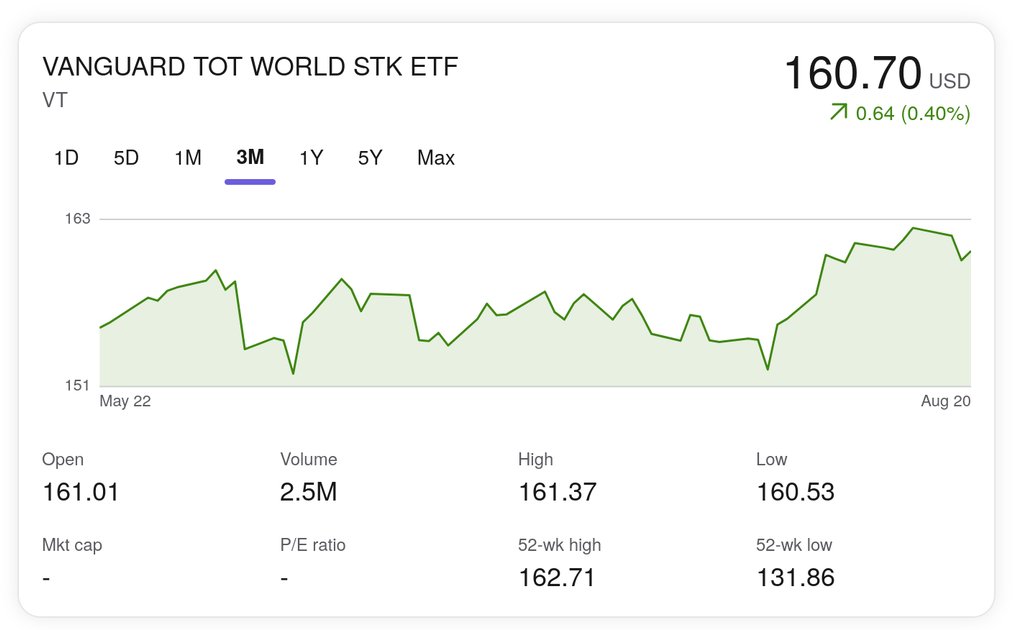
Kagi’s latest moves feel like a developer tool slowly leveling up its own tools—nothing flashy, just quietly making the search experience more useful. Blocking paywalled links is a rare win in a web where publishers keep moving the walls higher, but it’s also a reminder that the real battle isn’t just filtering content; it’s deciding what even counts as useful when half the results behind the gates are already paid for. The new Stocks widget, bigger file uploads, and regex in Custom Bangs are all small improvements that add up, but they don’t change the core problem: search engines still optimize for engagement, not answers. Whatever Kagi does next, it’ll face the same tension between being a tool and being a business—except now with a few more levers to pull. I’d bet the next move is either smarter monetization of the paywall filter or another quiet quality-of-life tweak. Either way, we’ll see it in the changelog first.