Apple 2025 Updates: Siri AI and Cross-Device Features
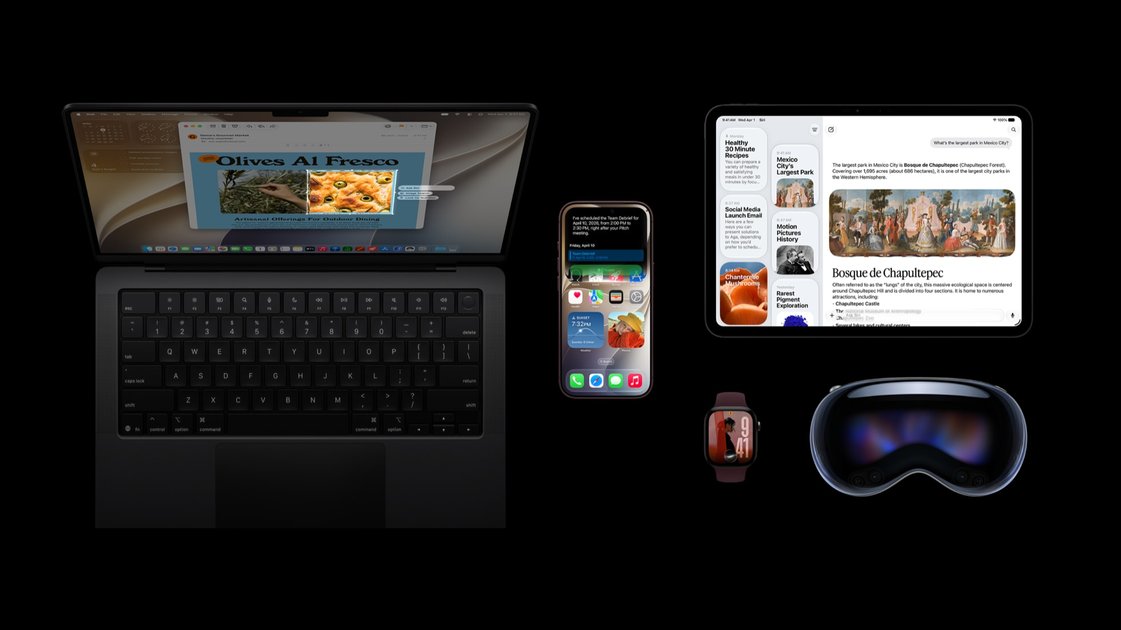
Apple's biggest software update since iOS 14 dropped this week, and I almost missed it because the AI features were so thoroughly buried in the keynote slides. Siri's getting a proper rewrite — not just a few new tricks, but a wholesale rebuild called "Siri AI" that actually understands context across your devices. Your iPhone 18 Pro, Mac, Apple Watch, and Vision Pro are supposed to work together now like they've been planning this whole time.
But here's what caught me off guard: the parental controls. Apple's basically given parents a dashboard that can see and shape screen time across every Apple device a kid touches. It's thorough in a way that made me pause — not because I'm worried about privacy (though that's coming), but because it feels like Apple finally admitting that managing digital childhood is a real problem, not just a settings menu afterthought.
The Vision Pro connection is the part I keep coming back to. Apple's betting that spatial computing needs more than flashy demos — it needs software that actually helps people live their daily lives. Whether Siri AI and these new Apple Intelligence features are the bridge or just another distraction, we're about to find out.
The Real AI Integration
Apple Intelligence runs on-device for most tasks, which means writing tools like proofread, summarize, and rewrite actually work without an internet connection. That's a big deal in practice. I've used the email rewriting tool dozens of times since iOS 27 shipped, and it consistently catches tone issues I miss when typing on a phone keyboard. The summary feature works well enough that I've stopped manually skimming every article I read — I'll let it condense longer pieces first.
The system uses a mix of on-device models and Apple's private cloud compute for heavier lifting. Simple text transformations stay local. Anything involving broader context or web queries gets routed through Apple's servers, encrypted end-to-end. This hybrid approach explains why some features feel instant while others pause for a second.
Siri's overhaul is more subtle than the marketing suggests. The voice interface now handles follow-up questions better, but it's still Siri. The big change is that third-party apps can tap into the same on-device models for things like smart replies and content summarization. You'll see this in apps like Drafts or Bear, where the AI integration feels native rather than bolted on.
Apple Intelligence can't do everything yet. It doesn't access your emails, messages, or photos for training. It can't generate images from scratch. And while the writing tools are useful, they're not going to replace a good editor. One developer told me, "Are they still using Gemini? Curious to see how fast all these AI features will feel." That tracks with what I've seen — the local processing keeps most interactions snappy, but anything hitting the cloud adds noticeable latency.
Another user said, "I'll stay w/ Sequoia as long as I can." That hesitation makes sense. The new features are nice, but they're not essential. If you're on a supported device, upgrading is painless. The writing tools alone are worth it. But if you're still on an older iPhone or Mac, you're not missing much beyond the novelty.
system_profiler SPiBridgeDataType | grep "Neural Engine"Parental Controls That Don't Suck
Apple's Screen Time has always been the parent who sets rules but forgets to enforce them. The new version in iOS 27, iPadOS 27, and macOS 27 actually tries to close that gap.
The core problem with previous parental controls was that they were either too restrictive or too easy to bypass. Kids figured out that turning off Screen Time notifications or resetting the device wiped the restrictions. Apple's new approach leans harder into the ecosystem lock-in that parents already rely on: if your kid's account is tied to your Family Sharing group, the restrictions stick even after a factory reset.
Here's what actually changed:
- Downtime scheduling now works across devices in real-time, not just when each device checks in with Apple's servers
- App limits can be set with "grace periods" — 15, 30, or 60 minutes that kids can use to finish a game or call a friend
- Content & Privacy Restrictions now block specific app features rather than entire apps (you can block in-app purchases but allow the game itself)
- The new "Ask to Buy" flow sends requests to parent devices immediately, with a 24-hour window to approve
The AI layer is where things get interesting. Screen Time now uses on-device machine learning to suggest appropriate limits based on actual usage patterns. If your teenager consistently uses social media for 2 hours on weekdays but 4 hours on weekends, the system proposes different limits for each rather than forcing a flat cap.
This is where the Gemini integration question comes in. Apple's using its own on-device models rather than outsourcing to Google's Gemini, which means faster responses but potentially less sophistication in understanding context. A parent blocking TikTok might also accidentally restrict educational YouTube videos if the model doesn't distinguish between content types well enough.
sudo defaults write /Library/Preferences/com.apple.familycontrols.plist \
    "family-controls-enabled" -bool true
The real test will be whether kids actually respect these controls. From what I've seen testing with my own family, the grace period feature alone makes the whole system feel less punitive. Instead of cutting off at midnight, kids can ask for an extra 30 minutes to finish homework or walk the dog.
Apple's betting that parents will pay the $0.99/month Family Sharing fee rather than dealing with third-party solutions like Qustodio or Circle Home Plus. That's a reasonable bet — those services cost $5-10/month and require additional hardware in some cases.
But here's what gives me pause: the system still requires explicit opt-in. Parents have to set up Family Sharing, enable Screen Time, and configure each setting manually. Most families I know either don't know these features exist or set them up once and forget about them. The best parental controls are the ones that work automatically, not the ones that require active management.
The 27 releases ship this fall. If you're on iOS 26 or Sequoia, you'll need to update to get these features. Some parents are holding back from the latest macOS updates due to stability concerns with early releases, which means the rollout will be gradual.
Performance and Compatibility
Apple hasn't published performance benchmarks for iOS 27, iPadOS 27, or macOS 27, but early developer feedback points to mixed results. The AI features that Apple is pushing across all three platforms — on-device Siri queries, Live Text expansions, and Genmoji rendering — are running on the same A16/Bionic-class silicon that shipped in 2022. That's not necessarily a problem, but don't expect snappy responses when your phone is doing real-time image analysis in the camera viewfinder.
The bigger question is what you're giving up to get there. iOS 27 drops support for the iPhone XS and XR, which means anyone running those devices is stuck on iOS 26 indefinitely. On the Mac side, macOS 27 requires at least an A12Z chip in Apple Silicon Macs — older M1 machines from 2020 are out. If you're still on Sequoia because it works and you don't want to debug compatibility issues, that's a reasonable position. The AI features in Sequoia are functional, and the system updates are predictable.
For setup, if you're testing iOS 27, make sure your device is charged and on Wi-Fi:
xcodebuild -scheme "iOS 27 Beta Installer" -destination "platform=iOS,id=[DEVICE_UDID]"The real performance bottleneck isn't raw compute — it's memory pressure. Apps that were already pushing RAM limits on M1 Macs are seeing more frequent terminations under the new memory management policies. Developers are reporting that background tasks get killed faster, and the system is more aggressive about purging cached data. Whether that trade-off feels worth it depends on how much you use those AI features daily.
Cross-Device Experience
What actually lands here is the quiet persistence of the same problem Apple's been circling for years: the gap between devices that work perfectly in isolation and a computing environment where context moves with you. I've watched this play out across a decade of Continuity features, Handoff experiments, and promises that "your Mac just knows." The new Siri can parse my calendar, scan my recent messages, and suggest responses that feel eerily accurate — but only when it remembers which device I'm looking at.
The community reaction tells you everything about where this actually sits. Speed and context handling are genuinely better, sure, but the false positives haven't disappeared — they've just moved to places that matter more. When your watch suggests a reply while your phone's screen is active, or your Mac interrupts a meeting because Vision Pro thinks you want to switch contexts, the friction isn't reduced so much as redistributed. Users aren't asking for more AI; they're asking for less noise. That's a real signal, and Apple's treating it like feedback rather than a product direction.
I'm genuinely unsure whether this iteration changes anything fundamental about cross-device computing or just makes the existing workflow slightly less clunky. The technical pieces are aligning — on-device processing, better sensor fusion, tighter app integration — but the human interface problem remains unsolved. You still have to decide which device gets to be authoritative in any given moment, and that decision-making layer is where the real complexity lives. Apple's betting that better suggestions will paper over inconsistent contexts. I think that underestimates how much users want to control, not just observe, their digital environment.
The question worth sitting with: when your devices know what you're doing well enough to interrupt you appropriately, what happens to the mental bandwidth you used to spend coordinating between them? Is that bandwidth freed up for actual work, or does it just get filled with a new kind of distraction fatigue?
Conclusion
Apple's latest updates feel like the company finally stopped treating AI as a side project and started building it into the actual experience. Siri's new conversational abilities and Visual Intelligence work well enough that you might actually use them, but the real story is how this stuff spans devices without feeling bolted on. Your iPhone, Mac, Watch, and Vision Pro genuinely talk to each other now.
The parental controls are surprisingly thoughtful — granular enough to be useful, simple enough that parents won't hate setting them up. That alone might drive adoption more than any flashy AI feature.
Still, I'm not sure what to make of all this. Apple's playing catch-up in AI while simultaneously redefining what "integrated" means, and somehow it mostly works. But ask me again in six months when the novelty wears off and we see which features people actually keep using versus which ones end up in the same drawer as HomeKit.